
Download Texpad – LaTeX editor, free, secure, cross‑platform
Overview of Texpad – a modern LaTeX editor
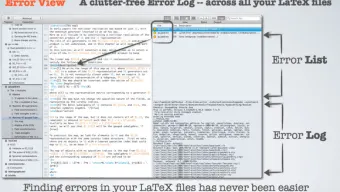
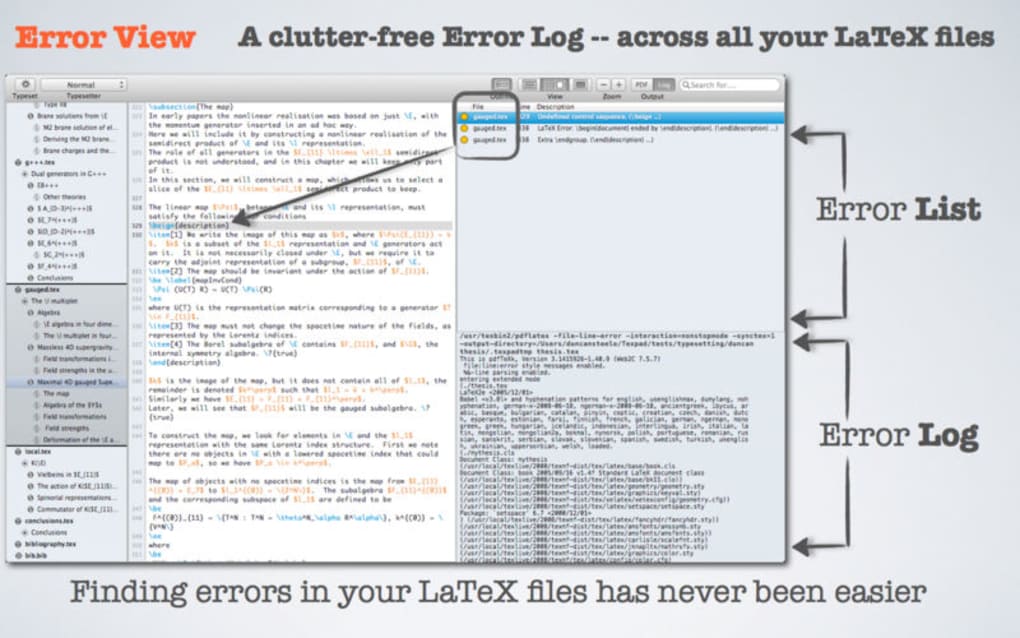
Texpad is a purpose‑built LaTeX editor that blends the power of the TeX typesetting system with a clean, graphical interface designed for both newcomers and seasoned academics. Unlike traditional LaTeX workflows that rely on a terminal console, Texpad replaces the cryptic output with an intuitive side‑panel that highlights errors, displays log messages, and offers instant navigation to problem areas. The app supports real‑time preview, allowing you to see the compiled PDF as you type, which dramatically reduces the feedback loop that often slows down scientific writing.
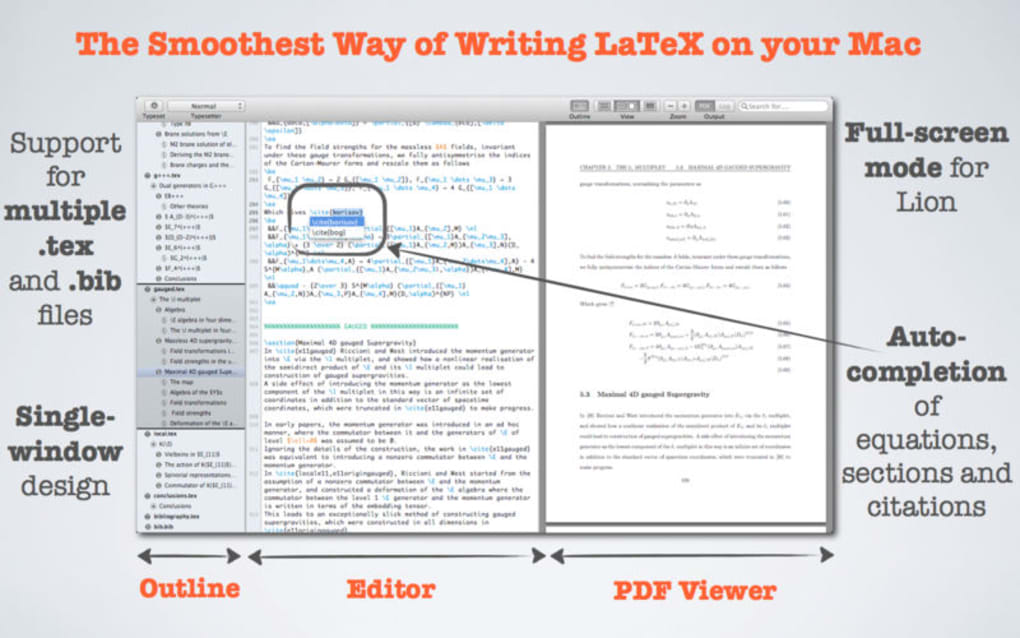
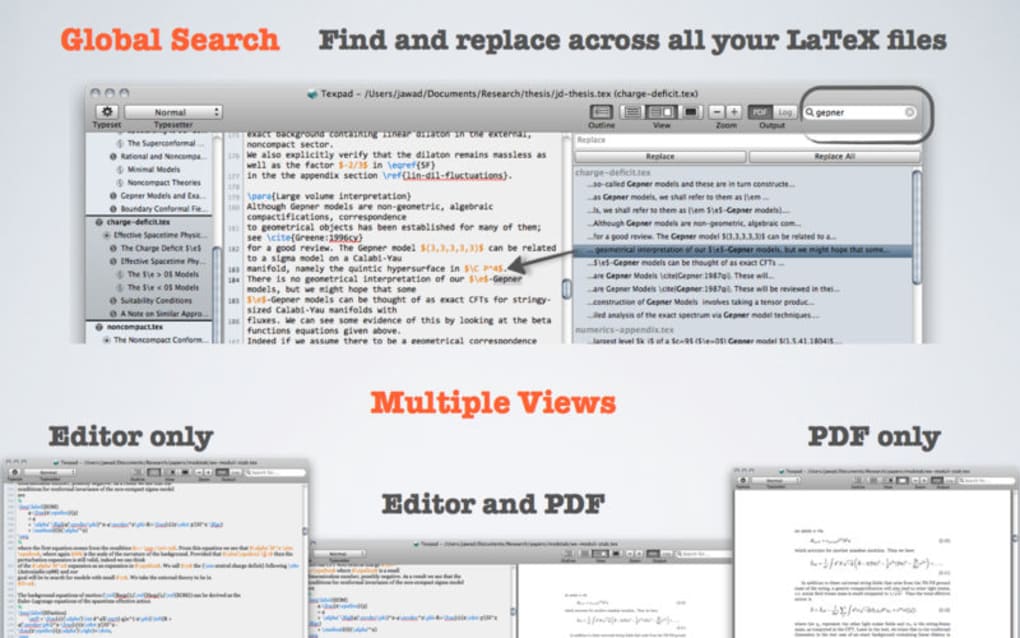
Its design philosophy focuses on accessibility: multiple document views, a clutter‑free error log, and customizable shortcuts let you tailor the workspace to your personal workflow. Whether you are drafting a conference paper, a dissertation, or a complex technical manual, Texpad streamlines the process by handling bibliography management, syntax highlighting, and project organization behind the scenes. The editor also integrates seamlessly with external build tools, meaning you can plug in your preferred LaTeX distribution (MiKTeX, TeX Live, MacTeX) without leaving the interface.
In short, Texpad modernises LaTeX editing by offering a secure, fast, and highly configurable environment that reduces the learning curve while preserving the full capabilities of the underlying TeX engine.
Key Features that set Texpad apart
- Live PDF preview: Watch your document compile in real time, eliminating the need for manual builds.
- Smart error navigation: Click an error in the log and Texpad jumps directly to the offending line.
- Multiple document views: Split‑screen editing, outline view, and source view for flexible workflows.
- Custom build scripts: Define your own compilation commands, supporting latexmk, arara, or bespoke scripts.
- Integrated bibliography manager: Automatic detection of .bib files, citation suggestions, and citation style previews.
- Cross‑platform support: Native applications for macOS, Windows, iOS, and Android, all synchronised via iCloud or Dropbox.
- Syntax highlighting & code folding: Colour‑coded LaTeX commands and the ability to collapse sections for cleaner reading.
- Secure sandboxed environment: Runs builds in an isolated container to protect your system from malicious packages.
- Customisable UI: Choose light or dark themes, adjust font sizes, and map keyboard shortcuts to your liking.
- Project management: Group related .tex files, images, and bibliography files into a single project bundle.
Installation, Usage & Compatibility Guide
Getting started with Texpad is straightforward. For macOS and Windows, visit the official website and click the “Download” button that matches your operating system. The installer is signed and verified, ensuring a secure download. macOS users receive a .dmg package that can be dragged into the Applications folder; Windows users get a .exe installer that follows the typical wizard steps. Mobile users can find Texpad on the App Store (iOS) or Google Play (Android); the mobile version is optimised for touch interaction while retaining full LaTeX compilation capabilities.
After installation, launch Texpad and create a new project. The first time you open a .tex file, the app will prompt you to locate your LaTeX distribution. If you already have MiKTeX, TeX Live, or MacTeX installed, simply point Texpad to the appropriate binary folder. For new users, Texpad offers a one‑click installer that bundles a minimal TeX distribution, making the setup completely hassle‑free.
Once the environment is configured, you can start typing. The live preview pane appears on the right by default, but you can detach it or switch to a full‑screen mode via the View menu. To compile manually, use the familiar ⌘ B (macOS) or Ctrl B (Windows) shortcut, or customise it under Preferences → Shortcuts. The built‑in error log will highlight any issues, and a single click will take you to the exact line in the source file. For larger documents, enable the Outline view to navigate sections, figures, and tables quickly.
Supported operating systems: macOS 10.14 or later, Windows 10 (64‑bit), iOS 13+, Android 8.0+. Texpad also runs on Linux through a Wine compatibility layer, though native support is not officially listed.
Updates are delivered automatically through the built‑in update checker, which verifies each download with a digital signature to guarantee security. Whether you are on a desktop or a mobile device, Texpad keeps your LaTeX environment up‑to‑date without interrupting your workflow.
Pros, Cons, Frequently Asked Questions & Final Verdict
Pros
- Intuitive live preview reduces compile‑time feedback loops.
- Robust error navigation saves time debugging complex documents.
- Highly customisable build scripts accommodate advanced workflows.
- Cross‑platform availability ensures consistency across devices.
- Secure sandboxed compilation protects the host system.
Cons
- Full feature set requires a paid license after the trial period.
- Mobile version lacks some desktop‑only shortcuts.
- Advanced LaTeX packages may need manual installation on the bundled TeX engine.
Frequently Asked Questions
Can I use Texpad for free?
Texpad offers a 30‑day free trial with full functionality. After the trial, you need to purchase a license to continue using the app.
Does Texpad support collaborative editing?
Collaboration is handled through external cloud services (iCloud, Dropbox, Google Drive). Texpad syncs changes automatically, but it does not provide built‑in real‑time co‑authoring.
Which LaTeX distributions are compatible?
Texpad works with MiKTeX, TeX Live, and MacTeX. It can also use its own minimal distribution for quick start‑ups.
Is the mobile version as powerful as the desktop version?
The mobile app provides live preview, error navigation, and basic project management, but advanced custom build scripts and extensive shortcut mapping are limited compared to the desktop version.
How does Texpad ensure the security of compiled documents?
Compilations run inside a sandboxed environment that isolates the LaTeX engine from the rest of the system, preventing malicious packages from accessing your files.
After testing Texpad for several weeks, I can confidently say it delivers a polished LaTeX experience that rivals the best desktop editors. The live preview and error navigation are genuine time‑savers, and the ability to customise build scripts means it adapts to both simple articles and large dissertations. The price is justified for power users, while students can benefit from the free trial to evaluate its fit. Overall, Texpad strikes a strong balance between ease of use and advanced functionality.
Conclusion – Should You Download Texpad?
If you’re looking for a secure, modern LaTeX editor that removes the friction of traditional console‑based workflows, Texpad is a compelling choice. Its live preview, smart error handling, and cross‑platform consistency make it ideal for researchers, engineers, and students who need to produce professional documents without spending hours configuring their environment. The initial free trial lets you explore the full feature set, and the one‑time license fee unlocks a lifetime of updates and support. Download Texpad today, start your trial, and experience a smoother, more enjoyable LaTeX editing process.
Click here to download Texpad now and transform the way you write LaTeX.